Trusted by Umbraco developers world-wide



elmah.io and Umbraco go hand in hand!
elmah.io automatically logs all uncaught exceptions on your on-premise and Umbraco Cloud installation. Sleep well at night knowing that we got you back when something goes wrong. When Umbraco starts logging errors in elmah.io we provide you with detailed information about the failing requests like the server variables and form post values.
Using the elmah.io App Store, getting notifications on Slack or Microsoft Teams requires only a few mouse clicks. Using an issue tracker? elmah.io integrates with a range of options like Jira and GitHub. Why not have elmah.io create issues when new errors are introduced?
Umbraco logs through Serilog, and elmah.io's Serilog sink picks it up. Not only uncaught exceptions get logged to elmah.io. Everything happening inside Umbraco gets indexed and made searchable through the UI.
When needing to debug an error happening in production, having the trace of what happened inside Umbraco will make it faster and a lot easier to figure out what went wrong. Reducing the time before your website is back in an operational state and free your developers to create customer value.
The current package supports Umbraco 10 and newer. Running an older site? Umbraco 7 and 8 are supported through older versions of the package, and the documentation has the instructions for each version.
elmah.io provides quick fixes developed especially for Umbraco. With elmah.io you have the perfect overview of your Umbraco installation.
But wait, there's more. We analyzed thousands of Umbraco errors and found a set of common log messages in Umbraco. With this set of data, we provide you with links to the best and most relevant help articles from the Umbraco documentation.
Logging errors is one aspect of securing a well-working website. But it doesn't solve everything. You also need to make sure that users can reach your website and maybe even from different parts of the world.
With elmah.io Uptime Monitoring, we ping your Umbraco sites from up to 5 different regions every 5 minutes. If your site is not accessible, an error is logged in your error log. This will trigger all of the notification rules and app integrations already configured on your account.
elmah.io Heartbeats is a feature to monitor the internal state of your website that is not visible from the public web. The elmah.io package for Umbraco support native integration between Umbraco's health check feature and elmah.io Heartbeats. Publish health checks directly to elmah.io and get a notification as soon as one or more features inside Umbraco starts complaining.
Connect Claude Code, Cursor, VS Code or Visual Studio to the elmah.io MCP server. Your agent can list new errors, read the stack trace and message details, check what changed after a deployment, and mark an error as fixed once you have shipped the change.
In Claude Code, add the server with one command:
claude mcp add --transport http --client-id claudecode elmahio https://mcp.elmah.io/mcpThe MCP server is included on every plan and is currently in beta. Set up the MCP server.
Install the NuGet package, add elmah.io to Program.cs with your API key and log ID, and add the Serilog sink to also log everything Umbraco writes to its log.
dotnet add package Elmah.Io.Umbracobuilder.Services.AddElmahIo(options =>
{
options.ApiKey = "API_KEY";
options.LogId = new Guid("LOG_ID");
});
WebApplication app = builder.Build();
await app.BootUmbracoAsync();
app.UseElmahIo();
app.UseUmbraco()
// ...{
"Serilog": {
"WriteTo": [
{
"Name": "ElmahIo",
"Args": {
"apiKey": "API_KEY",
"logId": "LOG_ID"
}
}
]
}
}Call UseElmahIo after the middleware that handles exceptions and authentication, and before UseUmbraco. The example is for Umbraco 13 and newer. Umbraco 10 to 12 use Startup.cs, and the documentation has the steps for those and for Umbraco 8 and 7. Your API key and log ID are shown on the install page when you sign up. Read the full setup guide.
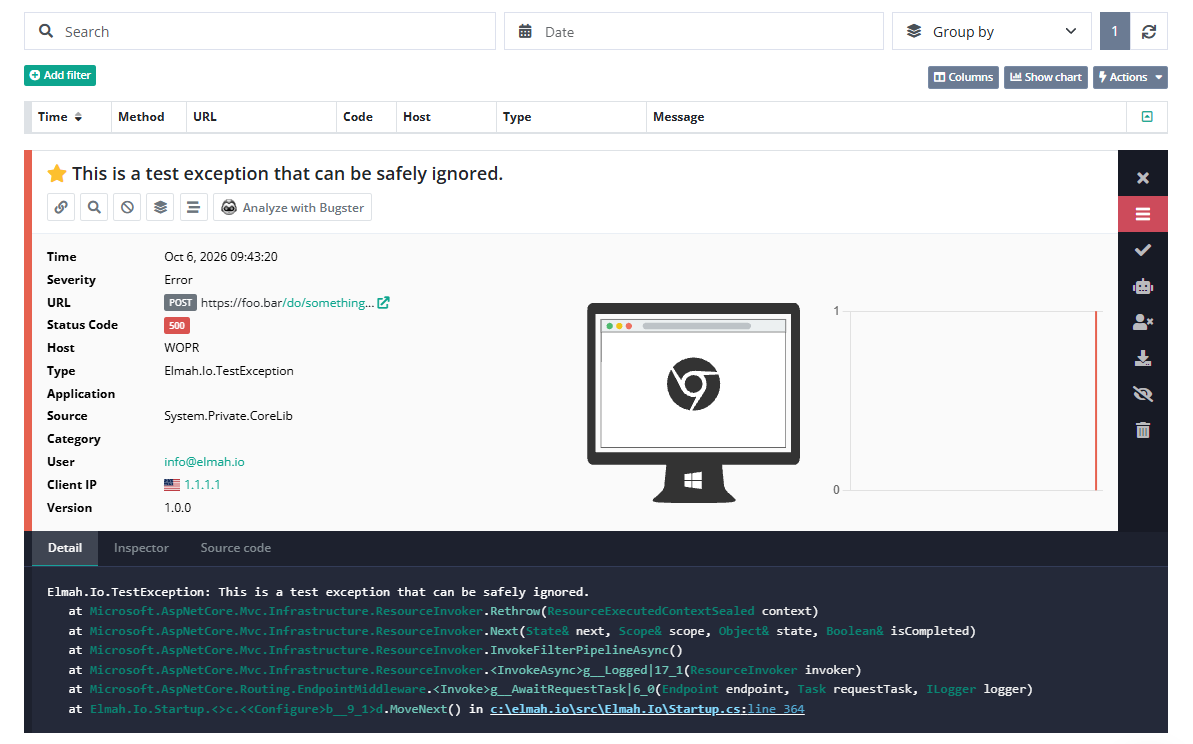
Here is what elmah.io logs from an Umbraco site:
The current package supports Umbraco 10 and newer. Umbraco 8 and 7 are supported through older versions of the package. The documentation has the setup for each version.
Yes. Clone your Umbraco Cloud project, install and configure elmah.io locally, and push the changes. Config transforms let each environment log to its own elmah.io log.
Not to log uncaught exceptions. Add the Serilog configuration to appsettings.json to also send everything else Umbraco logs.
Yes. The package connects the health checks of Umbraco to elmah.io Heartbeats, so you are notified when a check starts failing.
Yes. Connect the elmah.io MCP server to Claude Code, Cursor, VS Code or Visual Studio. It is included on every plan and is currently in beta.